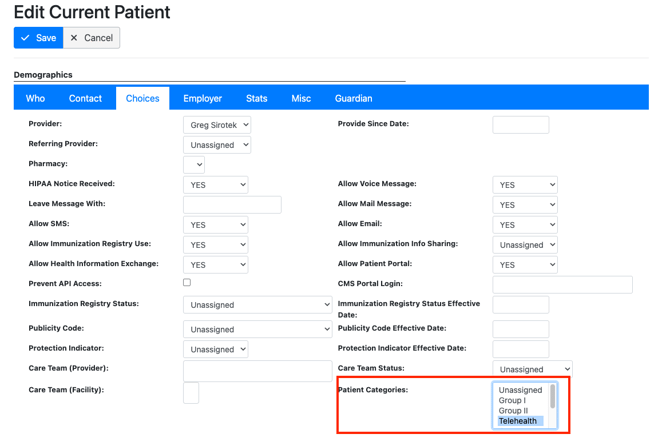
Create patient group
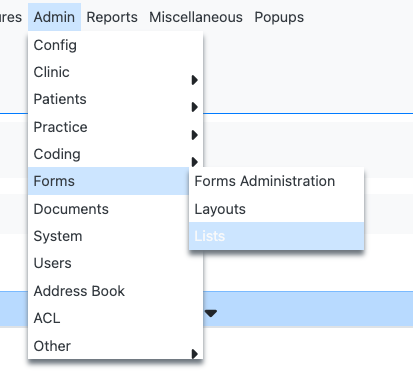
- Admin > Forms > List
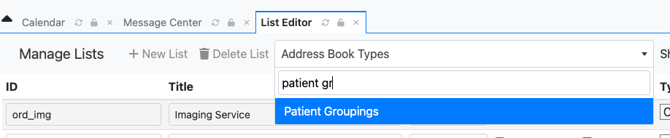
- Search and select “Patient Groupings”
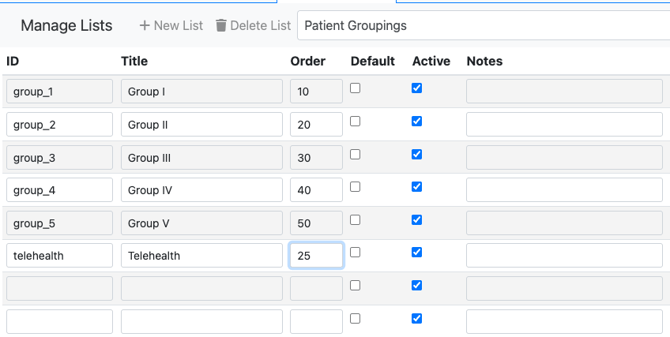
- Add Group ID, Title, and Order.
- Order value determines how the Patient Group list will be ordered. The smaller the number, the higher up in the list it will show up.
- The list will reorder itself after you click Save.
Delete a Patient Group
- To delete a patient group, delete all the fields for the group and click “Save”.
Add a patient to a group
- Navigate to the patient chart.
- In Demographics > Choices, assign a category to the patient.